FieldFriends

Turn Data into Your Most Powerful Crop

FieldFriends pairs a mobile app with three field robots, from a garden-sized model to AgroDog for heavy farm work. The app turns sensor and weather data into the day's tasks and shows every crop, and the robot, on one farm map. Our team researched the problem and the business together; I designed the app, from onboarding to the crop reports a farmer checks before harvest.

Context
Master's studio project at Hochschule Anhalt: one product, end to end, business model included.
Category
Precision agriculture, Mobile app
My Role
Product Designer: shared research, app design
Date
2024
Process

Six weeks, four phases. Research was a team effort, the UX and UI were mine.

012 weeks
Discover
  • Literature research
  • Semantic analysis
  • Stakeholder map
  • Charette
  • Interviews & surveys
021 week
Define
  • Empathy map
  • Persona
  • Problem focus
032 weeks
Develop
  • Ideation
  • Information architecture
  • Wireframes
  • Prototype
  • Testing
041 week
Deliver
  • Brand identity
  • User interface
  • Iteration
The product

Three robots for three sizes of land, and one app to run them.
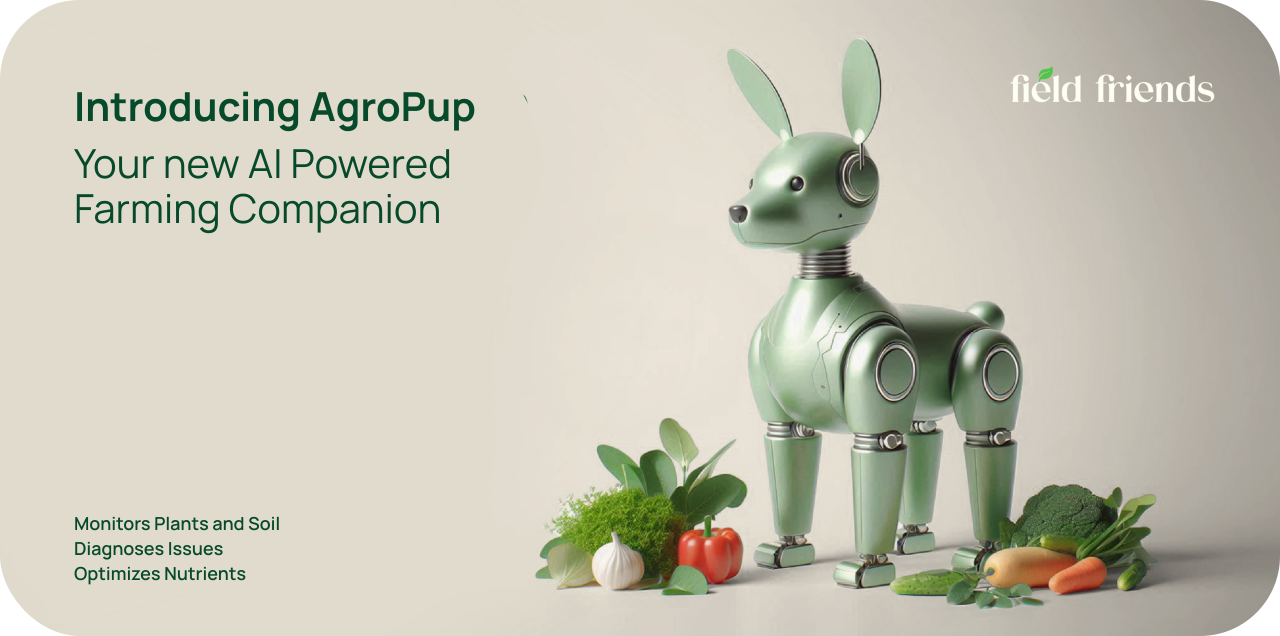
Squrrel+ for home gardeners and kids learning to grow, €799
AgroPup for small and medium farms, €2,499
AgroDog for heavy work and shepherding, €3,499
User research

The farmers we spoke to no longer trusted experience alone.

Watering was the uncertainty that came up most
Changing weather was breaking routines that had worked for years
New technology felt hard to judge and harder to fit into an existing setup
Information architecture

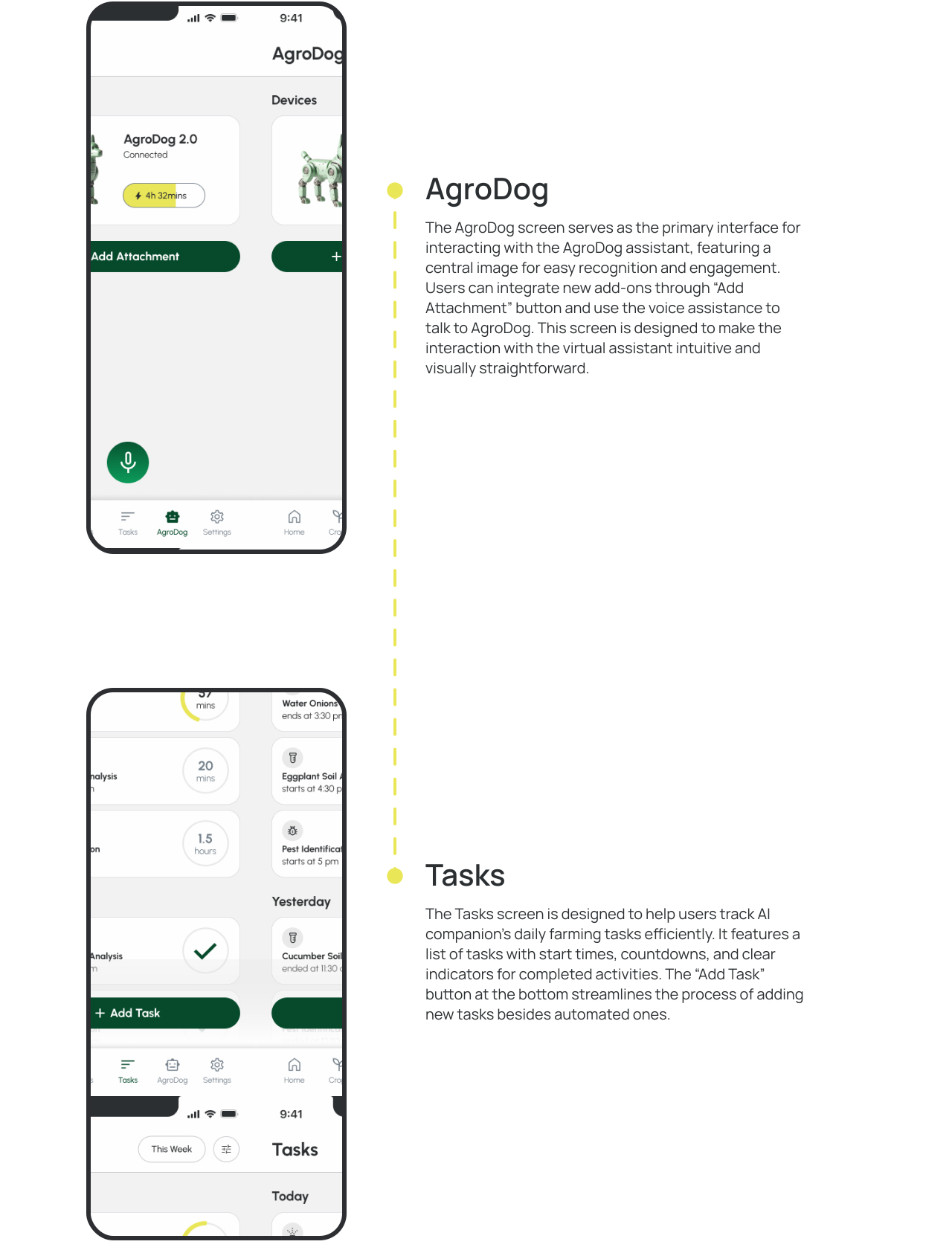
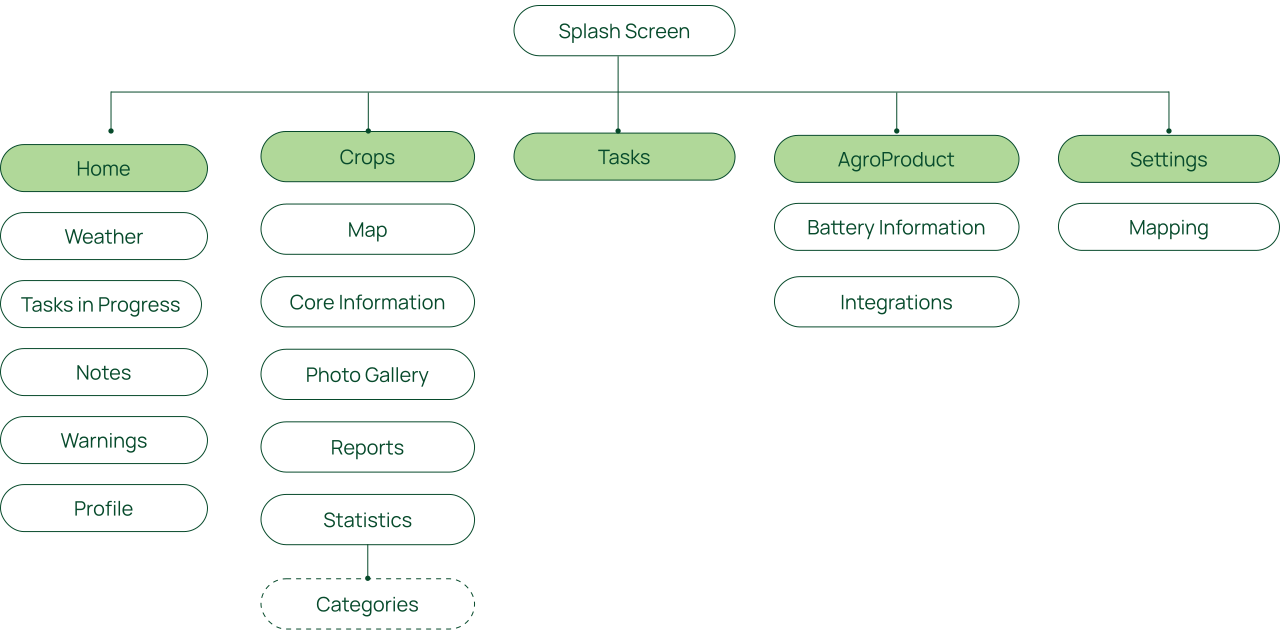
One tab per question: what is happening today, how the crops are doing, what is next, and what the robot is up to.
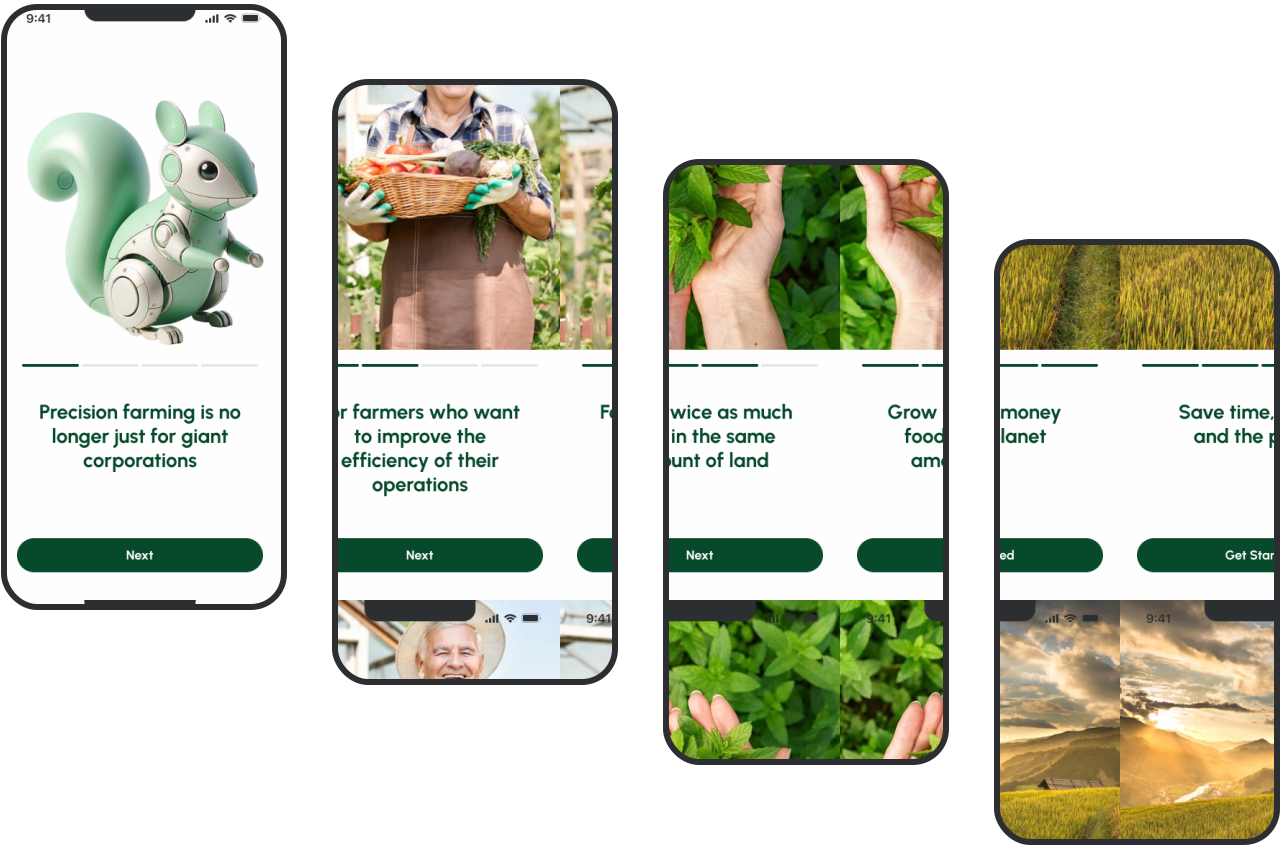
Onboarding

Four screens, one key benefit each.

Home Page

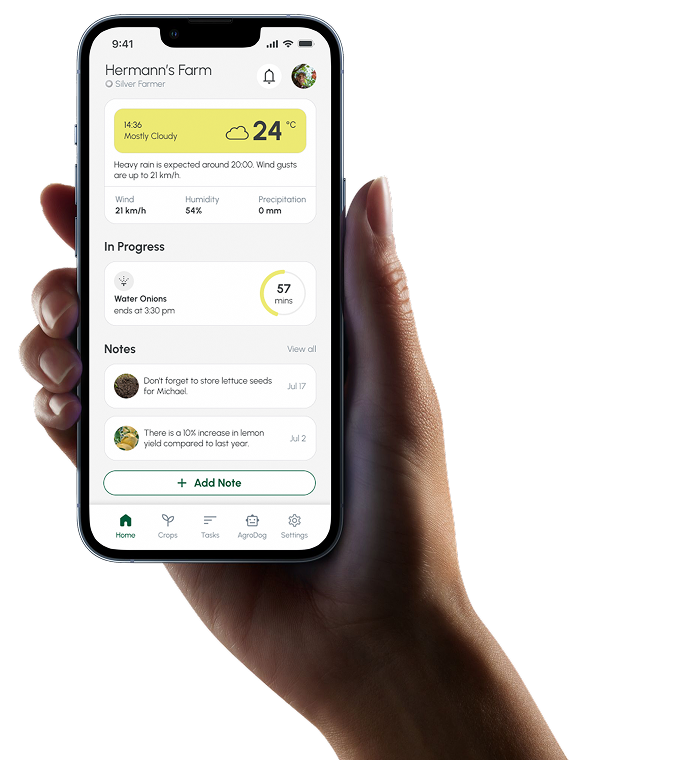
A clear snapshot of the farm

The Home page offers a comprehensive overview of the farm's current status, prioritizing critical information like weather conditions and ongoing tasks enabling users to make quick, informed decisions.


The weather widget provides essential details, while the “In Progress” section displays active tasks with countdown timers. Additionally, the notes section allows users to quickly view reminders or add new notes.


Crops

From the whole farm to a single plant in two moves.
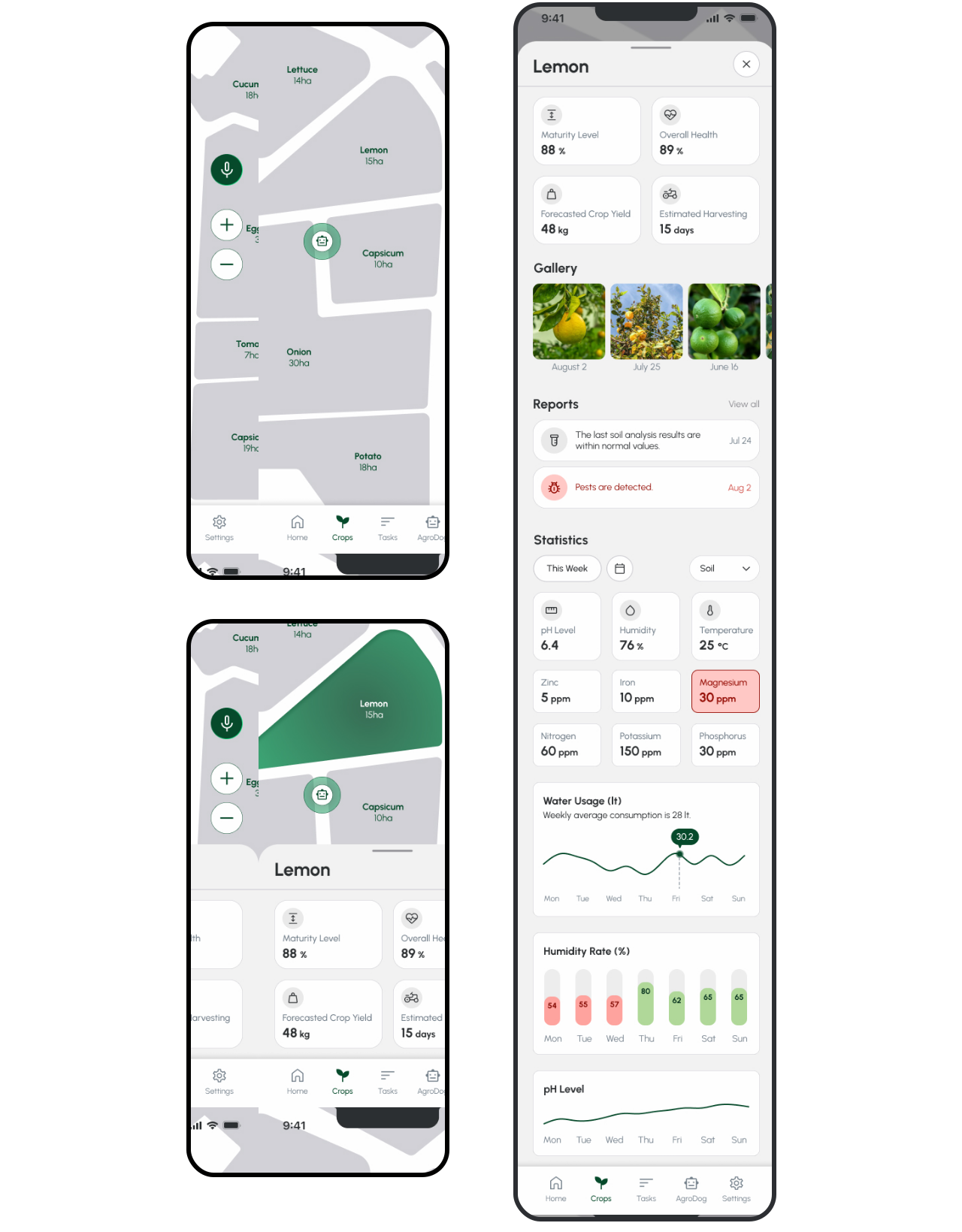
The page opens on a map of the farm: the crop layout and where the robot is working
Tapping a crop brings up its key numbers at the bottom of the screen
Scrolling up opens reports, the photo gallery and statistics, including predicted harvest time and yield
What I'd do differently

Two things I would change with what I know now.

Design for the robot getting it wrong: a stuck robot, a sensor reading that is off, a task it cannot finish. The flows here show the day when everything works.
Let the business show in the product. Moving up from AgroPup to AgroDog should be something a farmer feels in the app, not only on a price card.
Currently looking for my next team
I'm open to new opportunities